How to Make an EDL Cable (Deep Flash Cable) for Qualcomm Flashing
/ 2 min read
Table of Contents
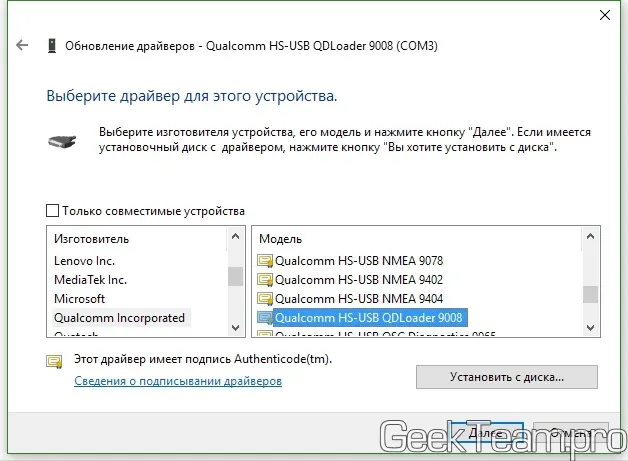
EDL (Emergency Download Mode) is a low-level state of Qualcomm processors designed for system recovery when standard methods (Fastboot, Recovery) are unavailable. In Device Manager, this state is displayed as Qualcomm HS-USB QDLoader 9008.
Many devices block software entry into this mode (e.g., via the adb reboot edl command). In such cases, an EDL cable, also known in the community as a Deep Flash Cable (DFC), is used.
How It Works
To trigger mode 9008, you need to momentarily (for 3-5 seconds) short the Data+ (green) line to Ground (black) when connecting the cable to a computer.
Making Your Own EDL Cable
You can use any standard USB cable. It is preferable to use an original one (e.g., from Xiaomi) because they typically follow standard wire color coding.
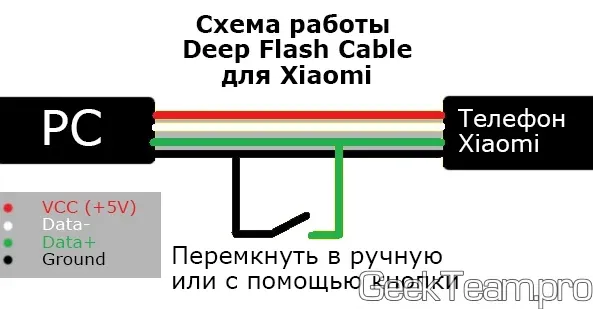
Instructions:
- Preparation: Carefully slice the outer insulation of the cable lengthwise for about 4-5 cm.
- Stripping Wires: Locate the green (Data+) and black (GND) wires. Strip a small section of each wire (about 5-10 mm).
- Shorting: Twist the bare parts together or press them firmly against each other.
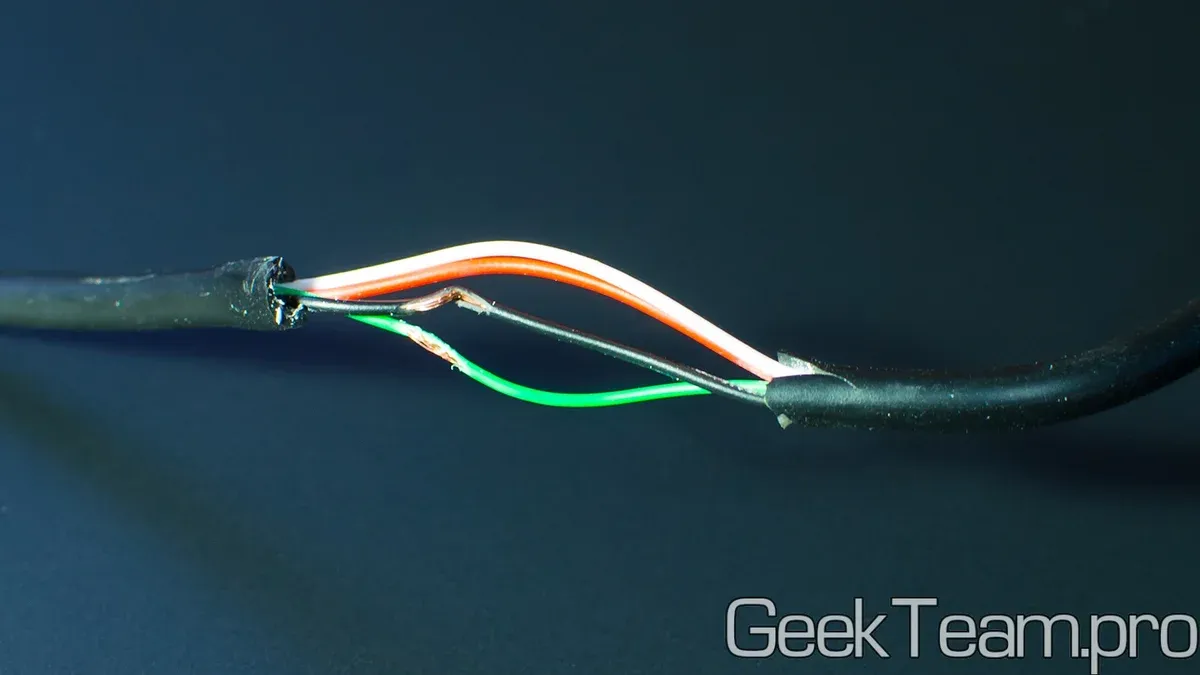
How to Use the EDL Cable
-
Drivers: Ensure the
Qualcomm HS-USB QDLoaderdrivers are installed on your computer. -
Connection:
- Power off the device completely.
- Plug the cable into the device.
- Short (twist) the green and black wires.
- Plug the USB connector into the computer port.
- Wait for 5 seconds and then un-short (separate) the wires.
-
Verification: If successful, a
9008port will appear in Device Manager.
Limitations and Risks
- Safety: Be careful not to short the red wire (VCC 5V) to ground or data lines — this can damage the computer’s USB port or the phone’s power IC.
- Modern Security: Even entering EDL mode does not guarantee flashing capability on modern models without a service account.